Ever walk out of a brilliant brainstorming session or an important meeting and realize your notes are a chaotic mess? Or worse, you relied on memory alone, and the key details are already fading.
You’re not alone. The struggle to capture, organize, and act on spoken information is real. But what if you could record everything, get a perfect transcript, and have it all automatically summarized with key takeaways?
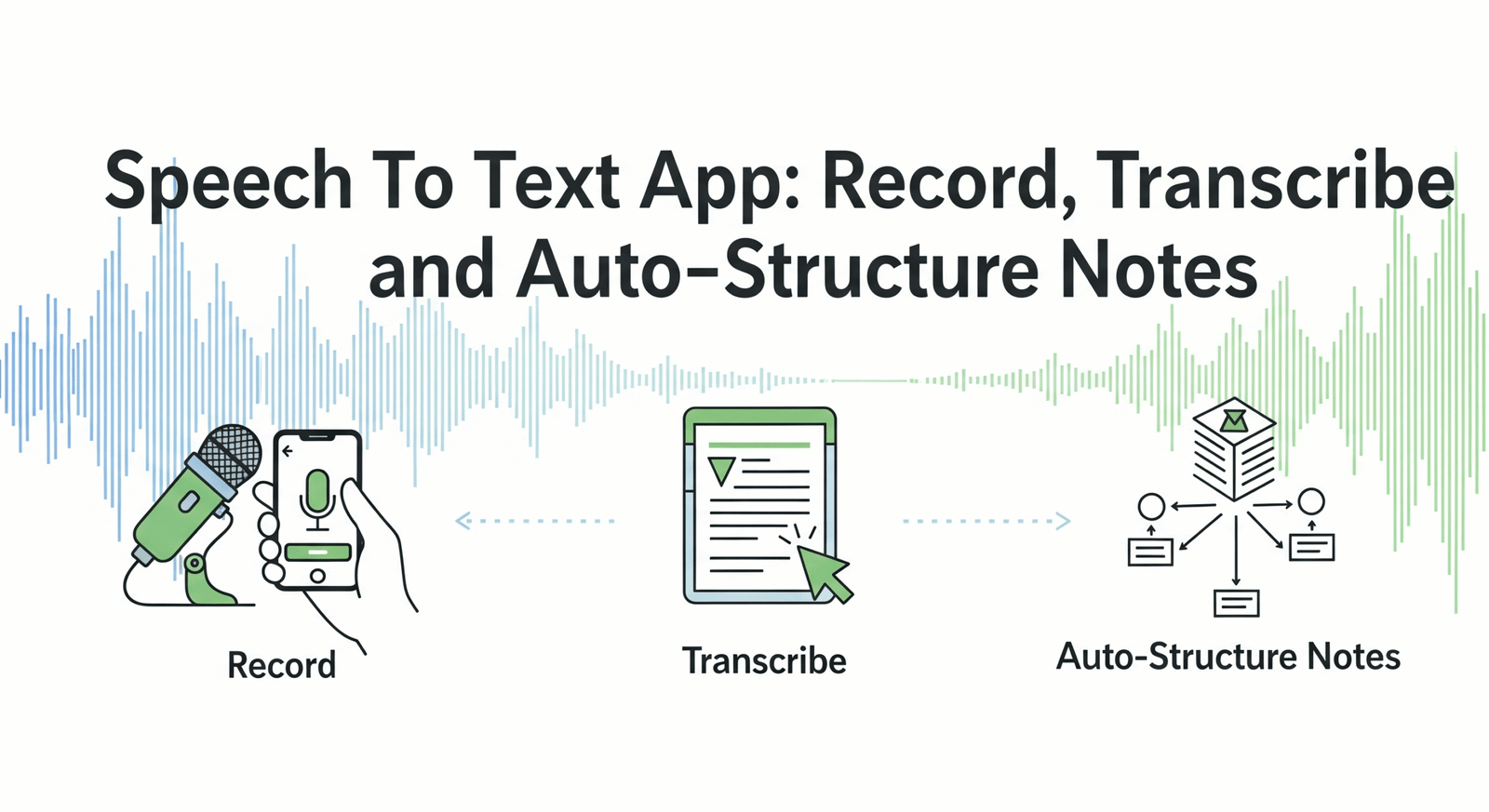
That’s not science fiction anymore—it’s the power of a modern Speech To Text App. These aren’t just simple audio recorders; they’re AI-powered productivity tools designed to turn spoken words into structured, actionable knowledge. Let’s dive into how they work and why you need one.
What Are Speech To Text Apps?
A Speech To Text app is a software application that allows users to record audio and instantly convert it into searchable text using artificial intelligence.
Unlike traditional recorders, these apps go a step further by automatically structuring the transcribed text into summaries, action items, chapters, and key topics, transforming unstructured conversations into organized notes.
For decades, we’ve had basic voice memos on our phones. They were great for capturing a quick thought but terrible for finding anything later. You’d have to manually listen through hours of audio just to find one specific comment.
Today’s speech to text apps have fundamentally changed the game. Powered by advanced AI and Natural Language Processing (NLP), they offer:
- Instant Transcription: Convert speech to text in real-time or from an uploaded file.
- High Accuracy: Modern engines can understand different accents, dialects, and technical jargon with surprising precision.
- Automated Structuring: The real magic lies here. The AI doesn’t just give you a wall of text; it identifies speakers, creates summaries, pulls out action items, and organizes the content logically.
- Effortless Search: Find any word or phrase spoken across all your recordings in seconds.
Essentially, they act as your personal assistant, attending every meeting and lecture, taking perfect notes, and organizing them for you.
Core Features That Matter
Not all voice notes apps are created equal. When you’re evaluating your options, there are three critical feature sets to scrutinize: recording quality, transcription accuracy, and auto-structuring capabilities.
Recording Quality and Formats
The best transcription in the world can’t save a bad recording. Garbage in, garbage out. A top-tier app prioritizes crystal-clear audio capture as the foundation for everything else.
- Background Noise Cancellation: Advanced algorithms can isolate human voices and suppress distracting sounds like keyboard clicks, air conditioning, or coffee shop chatter. This is crucial for transcription accuracy.
- Multi-Channel Recording: Does the app record in high-fidelity formats like WAV or FLAC instead of heavily compressed MP3s? Higher quality audio files provide more data for the AI to work with, leading to better results.
- Speaker Diarization: This is the ability to identify who is speaking and when. The app should be able to distinguish between different voices in a conversation and label the transcript accordingly (e.g., “Speaker 1,” “Speaker 2,” or by name if trained). This is a non-negotiable for meeting notes.
AI-Powered Transcription Accuracy
The core of any voice-to-text software is its transcription engine. Accuracy is measured by Word Error Rate (WER), which calculates the percentage of words that are transcribed incorrectly. A lower WER is better. According to a 2023 study by TechCrunch, leading AI models now achieve WERs below 5% in ideal conditions, rivaling human performance.
Look for an app that offers:
- Robust Accent and Dialect Support: The AI should be trained on a diverse dataset to understand a wide range of speaking styles, from a fast-talking New Yorker to a softly spoken Londoner.
- Custom Vocabulary: The ability to add specific industry terms, company names, or acronyms to the AI’s dictionary dramatically improves accuracy for specialized fields like medicine, law, or engineering.
- Punctuation and Formatting: A great transcription service doesn’t just capture words; it adds commas, periods, and paragraphs to create a readable document, saving you hours of editing.
Auto-Structuring Capabilities
This is where next-generation apps truly shine and deliver a massive return on investment. A raw transcript is useful, but an automatically structured note is a superpower.
- AI Summaries: Using large language models (LLMs), the app should be able to generate concise, abstractive summaries of the entire conversation. You should get the gist of a one-hour meeting in just a few paragraphs.
- Action Item and Decision Detection: The AI should be trained to recognize phrases like “I will follow up on…” or “Let’s agree to…” and automatically pull these into a neat “To-Do” list.
- Chaptering and Topic Modeling: For long recordings like lectures or workshops, the app should be able to break the transcript into logical “chapters” with headlines based on the topics discussed. This makes navigating your notes incredibly intuitive.
Use Cases and Applications
So, who is this technology for? Pretty much anyone who needs to capture and recall spoken information. Let’s look at three key areas.
Business Meeting Notes
Meetings are the lifeblood of many organizations, but they’re also a massive productivity drain. A voice notes app solves the biggest meeting challenges.
- Problem: Junior employees are tasked with taking notes instead of contributing. Key decisions and action items are missed. Post-meeting alignment is slow.
- Solution: Hit record at the start of the meeting. Everyone can stay fully engaged in the conversation, confident that everything is being captured. Immediately after, the AI-generated summary and action item list can be shared via Slack or email, ensuring everyone is on the same page.
Example: A project manager uses an app to record a client kick-off call. The AI automatically identifies action items for the design team, a decision about the project timeline, and a summary of the client’s core requirements. This structured note is shared instantly, eliminating ambiguity.
Academic Lecture Capture
Students and researchers need to absorb vast amounts of information from lectures, seminars, and interviews.
- Problem: It’s impossible to write down everything a professor says. You’re so focused on note-taking that you miss the nuance of the lecture. Reviewing notes later can be difficult if they’re incomplete or disorganized.
- Solution: Record the lecture. You can focus completely on understanding the material in the moment. Later, you have a searchable, complete transcript that you can use for revision. The AI-generated chapters help you quickly find the specific topic you need to review. This is also a game-changer for students with learning disabilities.
Personal Productivity
The applications extend far beyond the office or classroom.
- Problem: You have a great idea while driving or walking the dog, but by the time you can write it down, it’s gone. Your daily journal is inconsistent because you don’t have time to write.
- Solution: Use the app to capture voice notes on the go. Brainstorm ideas for your next project, dictate a blog post, or record a daily audio journal. The app transcribes and organizes your thoughts, making them easy to find and build upon later.
Choosing the Right Speech To Text App
With so many options on the market, how do you pick the one that’s right for you? Use this checklist to evaluate potential apps.
| Feature | What to Look For | Why It Matters |
| Transcription Accuracy | High accuracy (low WER), custom vocabulary, good accent handling. | Ensures your notes are reliable and require minimal editing. |
| AI Structuring | Automated summaries, action items, chapters, and key topic detection. | This is the core value proposition that saves you time and boosts productivity. |
| Security & Privacy | End-to-end encryption, clear data usage policies, and compliance (e.g., GDPR, SOC 2). | Your conversations are sensitive. Ensure they are protected and confidential. |
| Integrations | Connections to tools you already use like Notion, Slack, Google Drive, or Zapier. | Allows you to seamlessly move your structured notes into your existing workflow. |
| User Interface (UI) | Clean, intuitive, and easy to use on both mobile and desktop. | You’re more likely to use a tool that is a pleasure to interact with. |
| Pricing Model | A clear pricing structure (e.g., per-minute, subscription) that fits your usage. | Avoids surprise costs and ensures you’re getting good value for your money. |
Implementation Best Practices
To get the most out of your new speech to text app, follow these simple tips:
- Optimize Your Audio: Sit closer to your microphone. In group settings, use a central omnidirectional mic if possible. Reduce background noise as much as you can. The better the audio, the better the transcript.
- Use the Custom Vocabulary Feature: Before recording an important meeting, take two minutes to add key terms, names, and acronyms to the app’s dictionary. This simple step can significantly boost accuracy.
- Integrate It Into Your Workflow: Don’t let your notes live in a silo. Set up automated integrations to send your meeting summaries to a shared Notion page, your action items to Asana, or your lecture notes to Evernote.
- Start Small: Begin by using the app for one specific purpose, like your weekly team meeting. Once you’re comfortable with the workflow and see the benefits, expand its use to other areas.
Frequently Asked Questions (FAQ)
Q1: How accurate are speech to text apps?
Leading AI-powered speech to text apps can achieve accuracy rates above 95% in clear audio conditions. Accuracy can be affected by heavy accents, significant background noise, or multiple people speaking over each other, but it has become remarkably reliable for most professional and academic use cases.
Q2: Is my data safe and private when using a transcription app?
This is a critical question. Reputable providers use end-to-end encryption to protect your data both in transit and at rest. Always review a service’s privacy policy and look for compliance with standards like SOC 2, GDPR, or HIPAA to ensure they follow strict security protocols.
Q3: Can these apps handle multiple languages?
Yes, many of the top voice notes apps support transcription in dozens of languages. Some can even detect the spoken language automatically or transcribe multilingual conversations where speakers switch between languages. Check the specific app’s list of supported languages to ensure it meets your needs.